
In the first article of this series I outlined six popular open-source BI tools and promised to explore whether they can truly compete with commercial giants like Tableau and Power BI. Let's start with Metabase – a tool that claims to make data accessible to everyone, no SQL required.
A quick note: This article will be longer and more detailed than the others in this series. I've had extensive hands-on experience with Metabase across multiple projects, so I can go deeper than a first-glance overview. The upcoming articles on Superset, Redash and others will be more concise as I explore them fresh.
Metabase consistently tops the list of "beginner-friendly" BI tools, and companies like Shopify rely on it to help teams explore data without needing SQL expertise. But does it actually deliver on that promise? And more importantly, where does it fall short?
Metabase is an open-source business intelligence tool launched in 2015 with a clear mission: make data analysis accessible to everyone in an organization, regardless of their technical expertise.
Unlike tools that assume you're comfortable writing SQL, Metabase puts a visual query builder front and center – point, click, filter, and get your answer. But it also supports SQL queries for analysts, offers embedding capabilities for customer-facing analytics, and includes enterprise features like row-level security.
Metabase offers two deployment paths:
Self-Hosted (Open-Source):
This is genuinely one of the easiest BI tool deployments. If you have Docker running and a database ready, you're up in minutes.
Managed Cloud (Paid):
The open-source version is missing key features:
Verdict: ⭐⭐⭐ Excellent – Setup is genuinely fast compared to Apache Superset or Grafana.
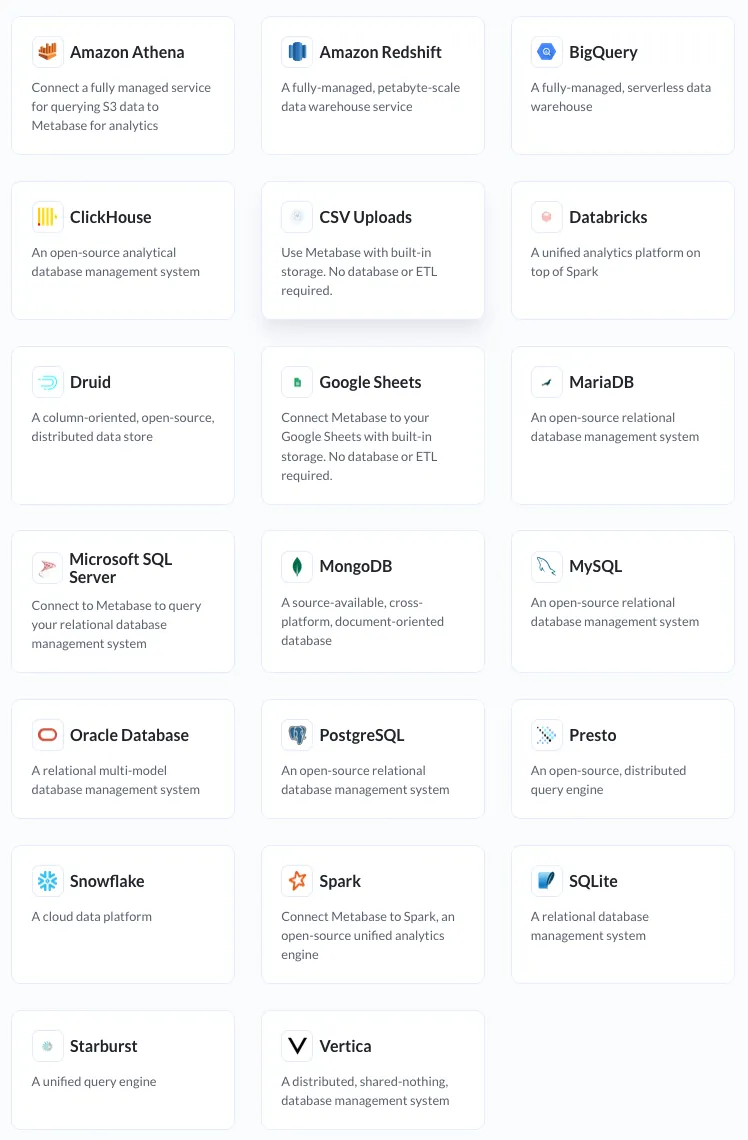
Official Connectors (20+):
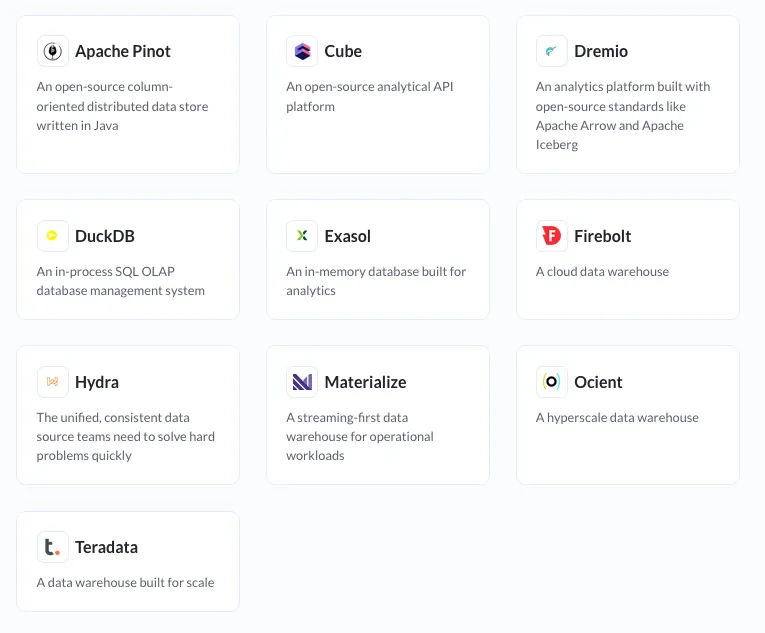
Community-Supported Connectors:
Metabase's library is more focused. You won't find exotic data sources or IoT integrations – this is built for traditional database and data warehouse scenarios.
Most businesses will find what they need in the official 20+ connectors. Standard databases (Postgres, MySQL) and modern cloud data warehouses (Snowflake, BigQuery) are all covered.
Verdict: ⭐⭐⭐ Strong for standard use cases – Not the most extensive library, but covers 80% of use cases well.
Metabase offers three ways to create visualizations:
Metabase's signature feature:
Does it work for business users?
For simple queries (filter tables, count records, group by date), the query builder is genuinely intuitive. Business users can explore data without waiting for analysts.
For complex queries (multiple joins, subqueries, window functions), you quickly hit the limits of point-and-click. Creating a "Monthly Revenue" chart is trivial. Creating a "Cohort Retention Analysis" requires SQL.
For analysts and data teams:
Limitation: SQL queries can use most chart types except pivot tables, and you can't drill through native query results.
Metabot can convert natural language to SQL, analyze charts, fix broken queries, and suggest existing questions. Only available on paid Cloud plans as an add-on – not in open-source.
Verdict: ⭐⭐⭐ Genuinely accessible for beginners, powerful for analysts – The "no SQL required" promise holds for basic to intermediate queries.
1. Models
Models are reusable, curated datasets:
Primary use cases:
Models bridge the gap between raw database tables and business concepts. Analysts create them once, business users explore them forever.
2. Metrics
Pre-defined, reusable calculations that create a single source of truth. Define "Monthly Revenue" once, use it everywhere—no more conflicting numbers across dashboards.
3. Dashboard Capabilities
Limited Advanced Analytics:
Performance at Scale:
Customization Limitations:
Verdict: ⭐⭐⭐ Perfect for democratizing data access; less ideal for advanced analytics
Three options if you want to embed Metabase-powered dashboards into your applications or websites:
If embedding is core to your use case, you must be on a paid plan. Open-source embedding is too limited for production customer-facing analytics.
Open-Source Self-Hosted:
Managed Cloud (Paid):
Choose self-hosted for: POCs, pilots, small teams, budget-constrained startups, compliance requirements
Choose cloud for: Teams wanting support, AI features, advanced embedding, no infrastructure management
Data security features:
Authentication: SAML, JWT, multi-tenant isolation
Solid range: line, bar, area, pie, scatter, bubble, tables, pivot tables, gauges, maps, funnel, waterfall charts. Strong for standard business dashboards; limited for specialized analytics.
✅ Genuinely accessible to non-technical users
✅ Fast setup (5-10 minutes to first dashboard)
✅ Models and metrics create solid foundation for self-service analytics
✅ Strong embedding capabilities (on paid plans)
✅ Active development and community support
❌ Open-source version significantly limited
❌ Performance struggles with very large datasets
❌ Less powerful for advanced analytics vs. Apache Superset
❌ Limited visualization customization
❌ Paid plans scale costs with users
For many use cases, yes - especially if your goal is democratizing data access rather than building complex analytical models.
However, look elsewhere when:
Metabase delivers remarkably well on its core promise. It won't replace Tableau fully, but it’s quite a great option to consider!
In the next article I'll explore Apache Superset - the tool born at Airbnb that promises enterprise-grade analytics with extensive visualizations and scalability. How does it compare to Metabase's simplicity-first approach?